


TOLL SUBSCRIPTION PLANS
FOR PRIVATE INDIVIDUALS

ELECTRONIC TOLL PLANS
FOR PROFESSIONALS
BIP&GO
SERVICES
OUR PARTNERS
TOLL SUBSCRIPTION PLANS
FOR PRIVATE INDIVIDUALS
ELECTRONIC TOLL PLANS
FOR PROFESSIONALS
BIP&GO
SERVICES
OUR PARTNERS
21/08/2026
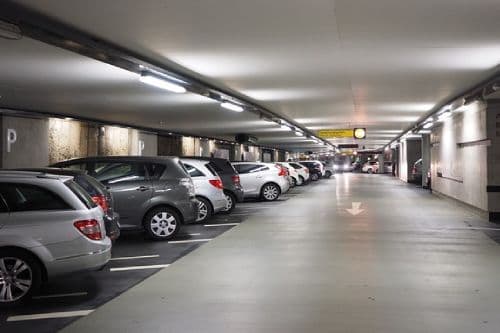
Wherever you need to park in France or across Europe, Bip&Go gives you access to over 1,300 car parks. With a single app, you can view all nearby parking options and reserve your space in just a few taps.
With Bip&Go, you can book your parking space directly from your phone!
To use this feature, simply install the Bip&Go app and subscribe to the Bip&Go motorway badge. You can then reserve your parking space straight from the app—no need to use your bank card to pay for parking. The parking fees are charged directly to your account and will appear on your Bip&Go invoice.
The app includes a button to open and close the car park. You’ll also receive personal access codes to open and close both the pedestrian and vehicle gates.
Booking your parking space is quick and easy with the Bip&Go app. Just follow these simple steps:
1. Select “Parking” on the home screen;
2. Add your date and time slot to view all available car parks;
3. Choose your preferred car park from the list;
4. Tap the “Reserve” button;
5. Check your booking details and ensure the number plate matches your vehicle;
6. Confirm your booking!
You don’t need your bank card to reserve a parking space with the Bip&Go app. Thanks to your subscription, you’ll be billed at the end of the month, directly to your Bip&Go account. The cost of your parking reservations will appear on your monthly invoice.
You can cancel your parking reservation directly in the Bip&Go mobile app. Cancellations are possible up to 24 hours before your booking starts. Simply select “Reservation” from the app menu, choose the booking you wish to cancel, tap “Cancel my reservation”, and follow the instructions to confirm.
If you want to extend your booking, follow the same steps until you reach the booking details page, where you’ll see the “Cancel my reservation” button. Just above, you’ll find the “Extend my reservation” button. Extensions can be made for between 15 minutes and 24 hours.
Accessing your parking space is simple with the Bip&Go mobile app. Just follow these steps:
1. Select “Reservation” in the app menu;
2. In the “Upcoming” tab, open the relevant booking;
3. The “Enter / Exit car park” button gives you all available actions;
4. Select the action you need (enter by car, exit by car, pedestrian entry/exit).
Please note that some car parks require a QR code or a digicode. In this case, you’ll find all the necessary instructions in the app and by email.
You can download the Bip&Go app for free from Google Play or the App Store. Log in using the same credentials as your Bip&Go account.
In addition to parking reservations, the Bip&Go app offers many other features designed to make your journeys easier. For example, you can locate nearby electric charging points and service stations. To help you avoid any surprises, the app also lets you estimate your motorway and fuel costs for your journey. You can also check your usage and invoices at any time.




Services for private individuals
© 2026 BIP&GO - All rights reserved
Services for private individuals

Services for professionals
Bip&Go services
About Bip&Go
© 2026 BIP&GO - All rights reserved


